
Retirement Living takes an unbiased approach to our reviews. We may earn money when you click a partner link. Learn More
Best Medical Alert Systems That Call Family of 2026
We tested and selected the best medical alert systems that notify family quickly and reliably during emergencies.


Updated:
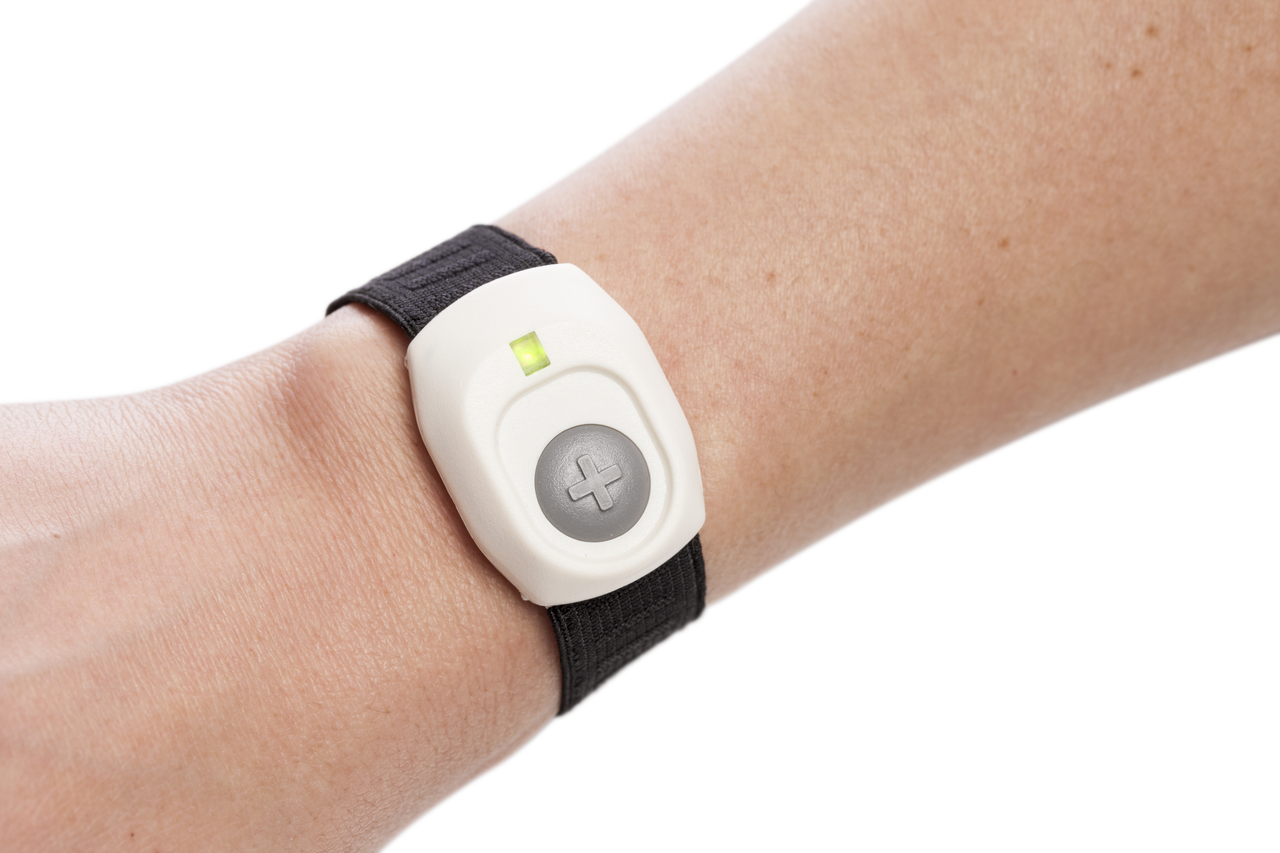
When it comes to aging in place, our top medical alert systems that notify family are Medical Guardian, Lively, and the others listed below. In our firsthand test of top medical alert systems, these systems stood out to us for how family notifications are set up and how family members and caregivers are given access to their loved ones living independently.
4.7
Medical Guardian’s tagline, “Life Without Limits,” shows its mission. The company aims to help customers live independently. Medical Guardian provides five in-home or mobile systems. They also have a medical alert smartwatch and the Mini Guardian wearable alert button.
- Great variety
- Call chain for caregivers
- Sleek, stylish wearable devices
4.5
Lively works on Apple Watches, Amazon Alexa devices, and Jitterbug cell phones. You need an active subscription plan to use it. Their wearable Mobile2 button is a waterproof medical alert system with enhanced GPS, and fall detection. It is FSA, HSA, and HRA eligible.
- Great for tech-savvy seniors
- Nurse on-call
- Compatible with Alexa and Apple Watch
ADT’s Medical Alert and On-the-Go systems are in-home and portable medical alert systems that cost around $1 per day. Your bill will never increase unless you upgrade medical alert services with ADT’s ForeveRate™ guarantee.
- Great plans
- Home temperature monitoring
- Fixed-rate service
Bay Alarm Medical is a medical alert system that offers 24/7 monitoring and trained professionals to assist in urgent times of need. Bay Alarm Medical has been protecting its clients for almost 70 years.
- Great customer service
- Vial of Life included with purchase
- Free spouse monitoring
How We Chose the Best Medical Alert That Calls Family
To identify the best medical alert systems that notify family, we tested the top options available today. We evaluated each brand as mystery shoppers, reviewing websites, purchasing and setting up devices, and contacting monitoring centers to measure response times and overall reliability.
What sets the following systems apart is how each system notifies family members. We examined whether monitoring centers call caregivers on the user’s behalf, how customizable contact lists and call orders are, and whether systems support caregiver alerts through cell phone apps or location-sharing tools. The following medical alert systems stand out for their effectiveness in notifying and communicating with family members when seniors are aging at home.
Medical Alert Systems That Call Family Reviews
Medical Guardian Review
Great variety
|
Medical Guardian is a well-established medical alert provider known for reliable monitoring, flexible service options, and a wide selection of in-home and mobile devices, including in-home base units with two-way speakers, mobile GPS systems, and wearable options such as lanyards, belt clips, wristbands, and a medical alert smartwatch.
The brand offers a professional 24/7 monitoring system, does not require long-term contracts, and supports both landline and cellular technology. Medical Guardian is a practical choice for older adults who want dependable access to help without being locked into a long commitment.
Medical Guardian stands out for offering one of the best caregiver experiences among medical alert brands. When an alert is triggered, trained monitoring center staff assess the situation and contact family members in the order specified by the user. This keeps caregivers informed during emergencies.
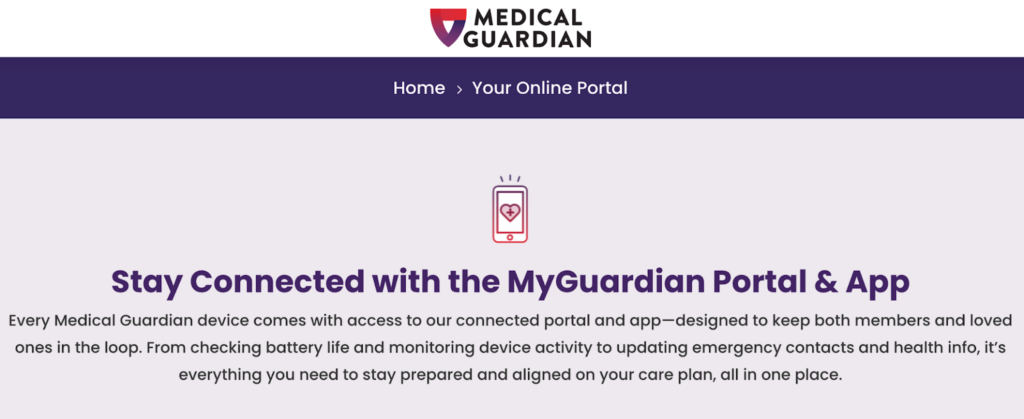
For families supporting a loved one from a distance, Medical Guardian’s caregiver tools, like the MyGuardian app, allow approved loved ones and caregivers to receive updates on things like device battery life and view activity, such as GPS tracking, without involving the monitoring center. This supports involvement without overstepping independence.
- Caregiver app included: MyGuardian app available on compatible systems
- How family is notified in an emergency: Monitoring center operators call caregivers directly according to the user’s order and preferences
- Non-emergency information included: Alert history, GPS location for mobile devices, and device status notifications
For more information, read our full Medical Guardian review. Or, for a comparison with another medical alert system, read our Personal Living Alert vs. Medical Guardian article.
Lively Review
Great for tech-savvy seniors
|
Lively is known for offering straightforward medical alert systems, professional monitoring, and caregiver-friendly tools. It focuses on cellular-based medical alert devices, including mobile GPS systems, wearable alert buttons, and a medical alert smartwatch designed for use at home or away.
The brand emphasizes ease of use, making its devices accessible for seniors who want reliable help without complex setup or long-term contracts.
Lively stands out for its strong focus on caregiver communication. When an alert occurs, response center staff assess the situation and contact designated family members based on the user’s response preferences, ensuring loved ones are informed quickly.
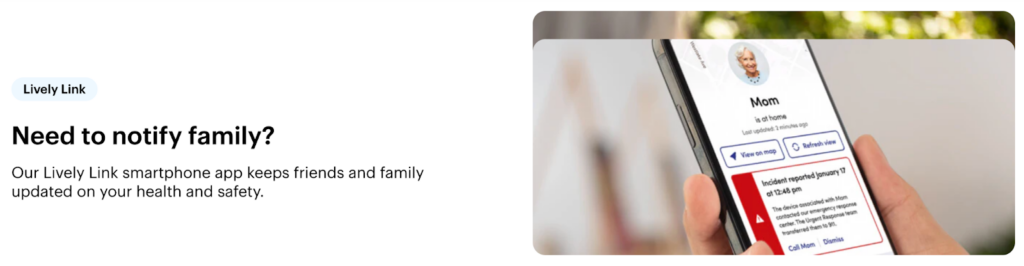
For families who want ongoing visibility, Lively includes a caregiver app that provides real-time alerts and location updates. This makes it easier for caregivers to stay informed from afar.
- Caregiver app included: Lively Caregiver App
- How family is notified in an emergency: Monitoring center operators call caregivers based on the pre-made response plan
- Non-emergency information included: Alert notifications, GPS location for mobile devices, and alert history
For more information, read our full Lively review. Or, for a comparison with another medical alert system, read our Lively vs. Medical Guardian article.
ADT Medical Alert Review
Great plans
|
Being a well-known security brand, ADT Medical Alert is best known for its focus on professional emergency response and dependable monitoring. It provides traditional in-home base units with two-way speakers and Wi-Fi, mobile GPS devices, and wearable help buttons worn as a necklace or wristband.
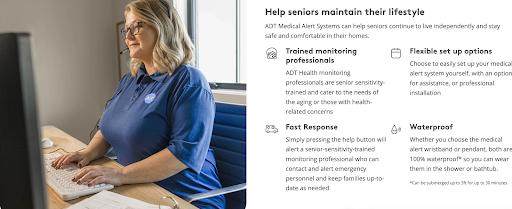
The brand prioritizes fast connection to trained operators who assess each situation and coordinate the appropriate response, whether emergency responders or family.
Family notification is handled through the monitoring center. When an emergency call is triggered, operators contact designated caregivers based on the user’s preferences, particularly in non-life-threatening situations. ADT does have an app specifically for medical care alerts.
ADT may appeal to families who prefer direct phone communication from monitoring professionals rather than ongoing app access or digital updates.
- Caregiver app included: No primary medical alert app
- How family is notified in an emergency: Monitoring center operators call caregivers according to the response plan
- Non-emergency information included: Limited caregiver visibility outside of active alerts
For more information, read our full ADT Medical Alert review. Or, for a comparison with another medical alert brand, read our ADT Medical Alert vs. Medical Care Alert article.
Bay Alarm Medical Review
Great customer service
|
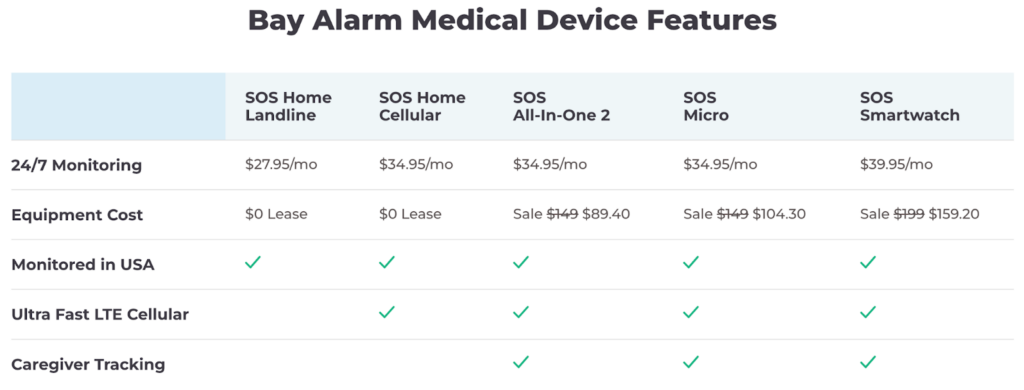
Bay Alarm Medical combines professional monitoring with basic caregiver access tools. The brand offers a range of devices for the wearer, including base units with two-way speakers, wearable help buttons, and a smartwatch option on select plans.
It lets users designate family members to be contacted in an emergency. This family notification is handled by trained monitoring center staff, who follow the user’s response plan when an alert is triggered. Bay Alarm Medical also offers a caregiver app, but doesn’t provide many details beyond emergencies. The app provides alerts when the help button is pressed, location information for GPS-enabled devices, and basic account and device status information. It does not provide day-to-day activity monitoring or the detailed wellness and check-in features that competitors provide.
Bay Alarm Medical is a good fit for families who want reliable family notification without advanced app-based features.
- Caregiver app included: Available on select systems
- How family is notified in an emergency: Monitoring center operators call caregivers based on user preferences and order
- Non-emergency information included: Basic alerts and location information on supported devices
For more information, read our full Bay Alarm Medical review.
The Best Medical Alerts that Notify Family Compared
We compared the best medical alerts that call family based on how they notify family, caregiver app availability, location tracking, and emergency vs. non-emergency alerts. The table below compares our four picks.
| Brand | Who Calls Family | App Included | Real-Time Alerts | Non-Emergency Information | Location Tracking |
|---|---|---|---|---|---|
| Medical Guardian | Monitoring Center | Yes | Yes | Yes | Yes |
| Lively | Monitoring Center | Yes | Yes | Yes | Yes |
| ADT Medical Alert | Monitoring Center | No | Limited | No | Limited |
| Bay Alarm Medical | Monitoring Center | Yes | Yes | Limited | Yes |
Medical Alert Systems vs. Medical Alert That Calls Family
Not all medical alert systems are the same. Some are monitored medical alert systems, and some are unmonitored; all listed here are monitored. And while many devices provide access to emergency help, a medical alert that calls family is designed to keep loved ones informed and involved when an alert is triggered. Knowing the difference can help seniors and their families choose the option that best fits their preferences and the level of support they need.
Medical Alert Systems
Traditional medical alert systems work by focusing on connecting users to a 24/7 monitoring center. When help is requested, a trained operator assesses the situation and dispatches emergency services if needed. Family members may be listed as emergency contacts, but they are often contacted after emergency responders or only in certain situations.
Medical Alert That Calls Family
A medical alert that calls family includes family and caregivers in the response process. These systems are set up to contact designated family members or caregivers when an alert is triggered. Many also support caregiver apps that provide real-time updates, making it easier for loved ones to stay informed and involved, especially during non-life-threatening situations.
Features to Consider in Medical Alert Systems That Notify Family
When comparing medical alert systems that notify family, it’s helpful to start with the core features of the best medical alert systems. All medical alert systems should connect to a 24/7 monitoring center and include wearable, water-resistant help buttons that work at home or on the go. Many systems also offer location tracking and optional fall detection. These baseline features support safety, but they don’t explain how family members are brought into an emergency, which is where systems begin to differ.
Not all medical alert systems involve family members in the same way. If your goal is to choose a medical alert that calls family, these are the features that matter most.
- How the family is notified
Some systems notify family through live phone calls from a monitoring center, while others send digital alerts through a caregiver app. The most comprehensive systems combine both, ensuring family members are contacted even if they miss an app notification. - Who contacts family during an emergency
Most medical alert systems rely on trained monitoring center operators to assess the situation and then call family members on the user’s behalf. In most cases, the device itself does not place direct calls to caregivers. - Customizable contact lists and call order
Look for systems that let users list multiple caregivers and choose the order in which they’re contacted. This means the right person is reached first, and there are backup options if a primary contact is unavailable. - Caregiver apps and non-emergency updates
Some medical alert systems that notify family include caregiver apps that provide real-time alerts when help is requested, along with access to alert history, location information for mobile devices, and basic device status updates, like low battery. These apps may also allow caregivers to check a senior’s status without triggering an emergency response, offering added reassurance without involving the monitoring center. - Emergency response preferences
During setup, most providers allow users to choose whether family members are contacted before or after emergency services when an alert is triggered. This option is especially useful for situations that don’t require immediate 911 response, where a family member may be the preferred first call.
Benefits of a Medical Alert System that Calls Family
A medical alert system that calls family adds an extra layer of support for seniors aging at home, by ensuring loved ones are notified when help is needed. This approach can be especially helpful in non-life-threatening situations, where a family member may be the preferred first point of contact. For caregivers, these systems provide reassurance that they will be alerted promptly, even when they can’t be physically present. The following are the key benefits of medical alerts that notify family:
- Faster family involvement during a life-saving emergency
- Personalized assistance in non-emergency situations
- Increased peace of mind for caregivers
- Flexible response preferences
- Clear communication through trained monitoring staff
- Ongoing visibility through caregiver tools and apps
Costs Associated With Medical Alerts That Call Family
Medical alert systems that call family cost about the same as traditional medical alert systems. Among the providers we focused on—Medical Guardian, Lively, ADT Medical Alert, and Bay Alarm Medical—monitoring typically has an activation fee and a monthly fee that ranges from the mid-$20s to low-$40s. Annual plans are also usually available. Some brands charge add-on costs for caregiver apps, but our four picks include them and family notification features in the base subscription.
Frequently Asked Questions about Medical Alert Systems That Call Family
No. For family notification, usually the call center contacts family or caregivers after a call button triggers an alert. Caregiver apps are additional tools that provide visibility, like alert history, location information for mobile devices, and device status updates.
For most brands, no. Family notification and caregiver access are usually included in the standard monthly monitoring subscription. Optional features, like fall detection, add to the monthly cost, but notifying family members typically does not.
If the first family member listed can’t be reached, the monitoring center calls the next listed contact or dispatches emergency services if the situation appears urgent.
A fall detection device that notifies family is a medical alert system with automatic fall detection that alerts a 24/7 monitoring center when a fall is detected. A trained operator will try to communicate with the user and then contact designated family members based on the pre-designed response plan. Some systems also send caregiver app alerts alongside these calls.
Concluding Thoughts on Medical Alert Systems That Call Family
A medical alert that calls family provides peace of mind with the push of a button for seniors aging at home and their loved ones. While all monitored medical alert systems provide access to emergency help, family-focused systems are designed to keep family and caregivers informed and involved when an alert occurs. Not all systems handle notifications the same way. Some systems use an app to provide updates and information, while others use direct phone calls from trained staff at the monitoring center. Understanding these differences helps identify a system that meets your specific needs.