
Retirement Living takes an unbiased approach to our reviews. We may earn money when you click a partner link. Learn More
Best Medical Alert Apps of 2026
We evaluated features, costs, and reviews to help you choose the right app and stay connected with caregivers.


Updated:
Our top picks for medical alert apps include Medical Guardian and FallCall Lite. They, along with others on our list, provide seniors with a simple and affordable way to age in place and maintain safety using a device they already own, such as a smartwatch, smartphone, or even a smart speaker. Check out our methodology to learn how we selected these top six medical alert apps.
4.7
Medical Guardian’s tagline, “Life Without Limits,” shows its mission. The company aims to help customers live independently. Medical Guardian provides five in-home or mobile systems. They also have a medical alert smartwatch and the Mini Guardian wearable alert button.
- Great variety
- Call chain for caregivers
- Sleek, stylish wearable devices
4.5
Lively works on Apple Watches, Amazon Alexa devices, and Jitterbug cell phones. You need an active subscription plan to use it. Their wearable Mobile2 button is a waterproof medical alert system with enhanced GPS, and fall detection. It is FSA, HSA, and HRA eligible.
- Great for tech-savvy seniors
- Nurse on-call
- Compatible with Alexa and Apple Watch
Medical Care Alert is a Michigan-based company. They provide personal medical alert systems and monitoring services. No matter where you are—at home, in the yard, running errands, or traveling—Medical Care Alert has a system to help you when you need it. The pendant and wristband emergency buttons are waterproof for continuous everyday use.
- Great fast response
- Certified responders
- No equipment charges
Bay Alarm Medical is a medical alert system that offers 24/7 monitoring and trained professionals to assist in urgent times of need. Bay Alarm Medical has been protecting its clients for almost 70 years.
- Great customer service
- Vial of Life included with purchase
- Free spouse monitoring
Best Medical Alert Apps for Existing Subscribers
The best medical alert apps for existing subscribers include Medical Guardian, Lively, Medical Care Alert, and Bay Alarm Medical. These apps are available to customers who already subscribe to and use the providers’ wearable devices. These apps complement and enhance the equipment.

Medical Guardian Review
Great variety
|
For Medical Guardian Alert System members, the MyGuardian app is available on both iOS and Android. The app itself is free to download for caregivers if you have a required monitoring plan that starts at $27.95 per month.
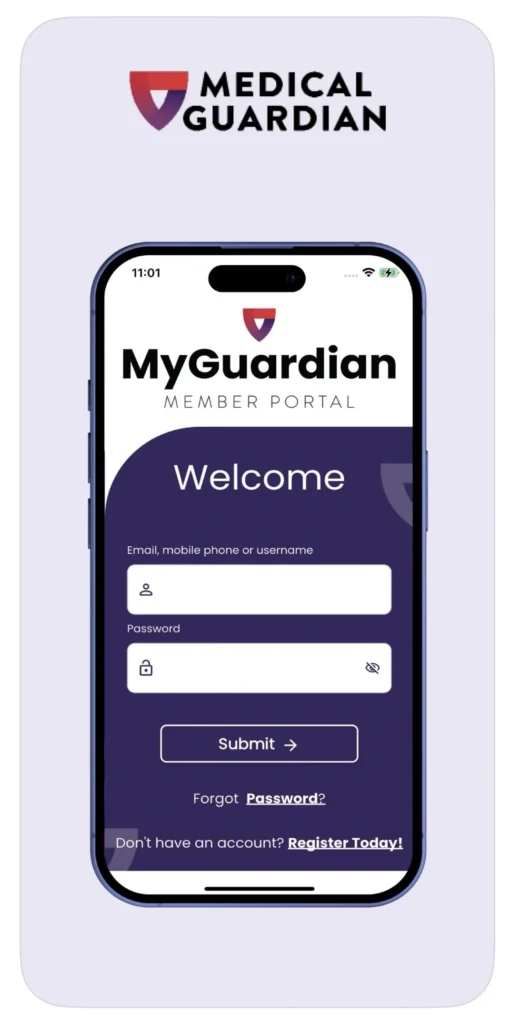
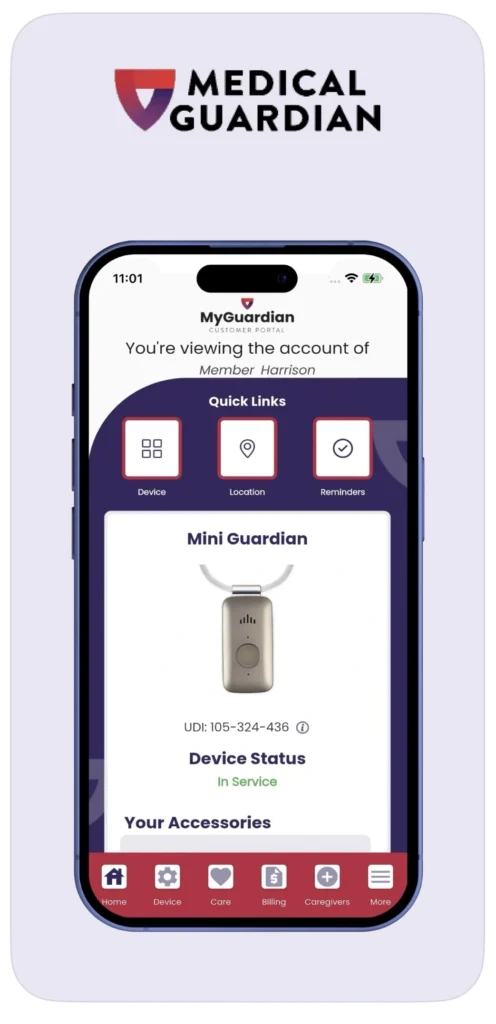
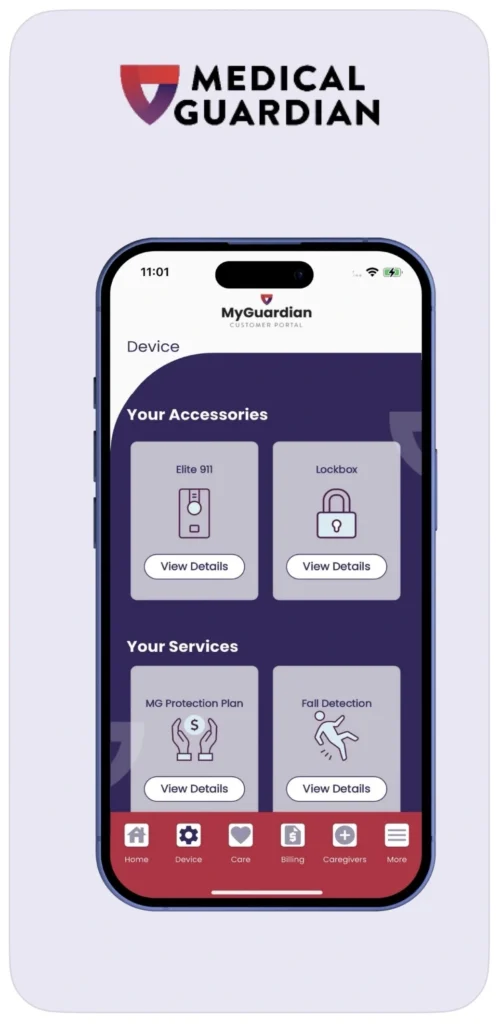
The free version includes location and activity tracking. However, there is an additional charge of $2.99 per month for caregiver notifications if an emergency or fall occurs. There are also additional in-app purchases for advanced features like reminders, chat, and scheduling.
The app is a central command hub for Medical Guardian’s alert system – no matter what wearable device you choose to use, it lets caregivers and seniors connect easily.
With vital health and safety information, like emergency contacts, medical history, and system status, all on one interface, caregivers can monitor activity, receive alerts, and manage the account remotely.
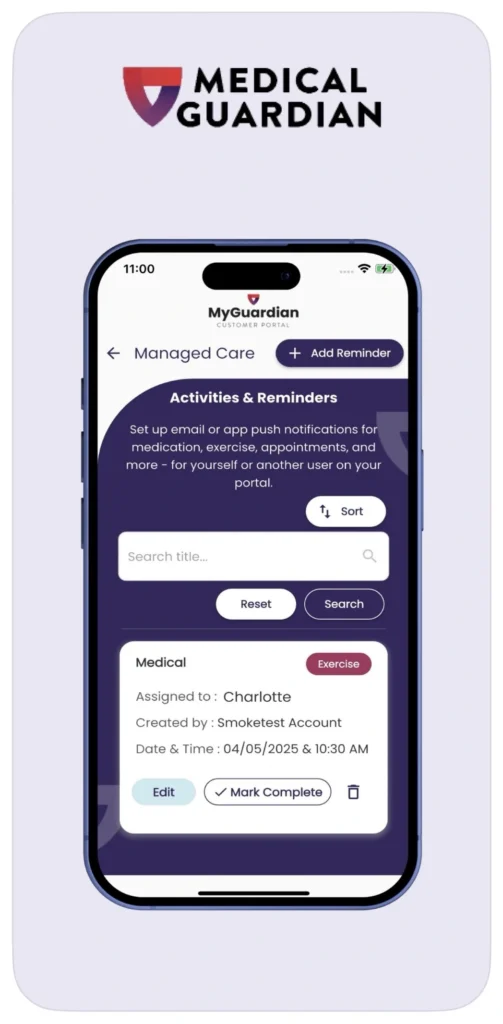
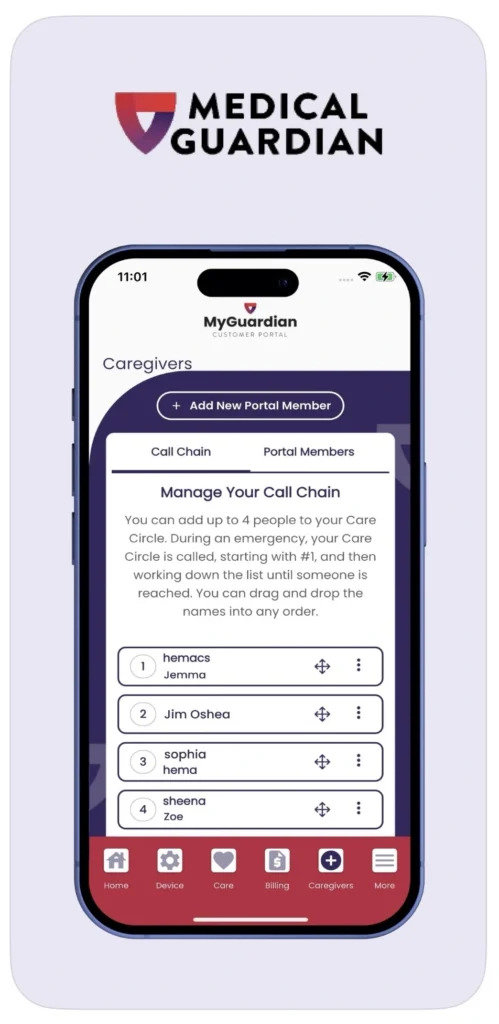
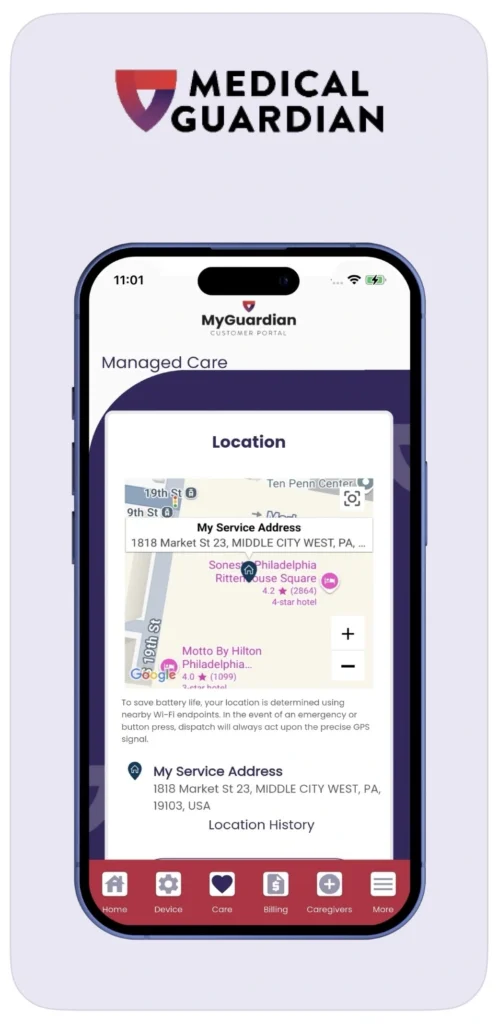
When a device is activated, it automatically connects through the monitoring center, and the app simultaneously notifies designated caregivers via text or app alert (known as OnGuard Alerts). The app provides real-time location data and event details. Caregivers can also use MyGuardian to check device connectivity, review location, and update reminders and settings remotely.
Great variety
Medical Guardian
- Call chain for caregivers
- Sleek, stylish wearable devices
The app has proven to enhance responsiveness and peace of mind for both users and their support network.
To learn more, read our full Medical Guardian review.

Lively Review
Great for tech-savvy seniors
|
Lively (formerly GreatCall), now owned by Best Buy Health, offers an app called Lively Link, available on both iOS and Android. It provides users 24/7 access to the Lively Urgent Response team. By activating the “Urgent Response” button, you are immediately connected to certified agents for emergencies, medical concerns, and even non‑urgent issues (like being locked out).
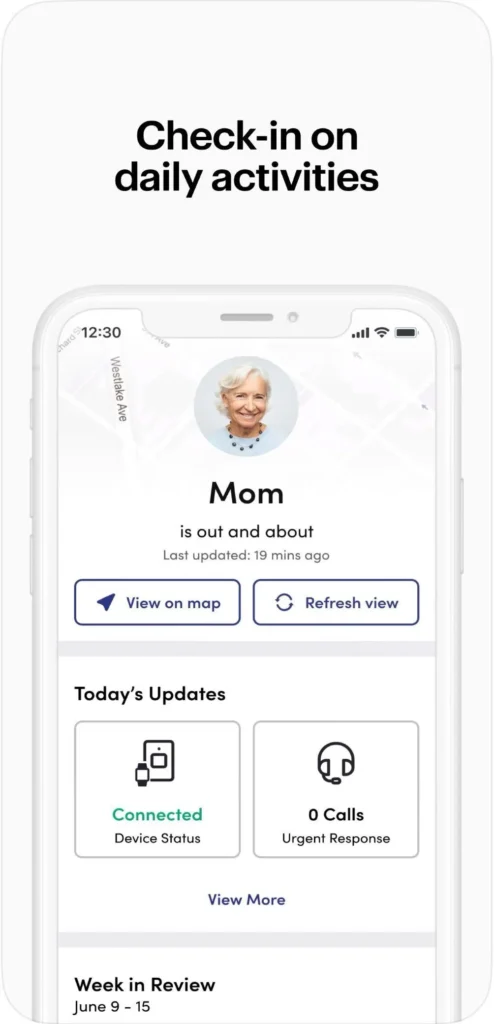
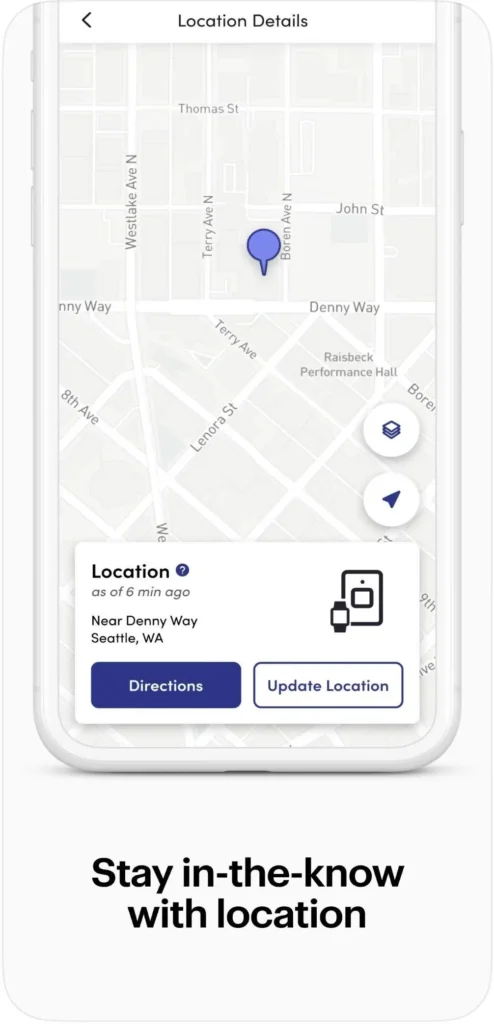
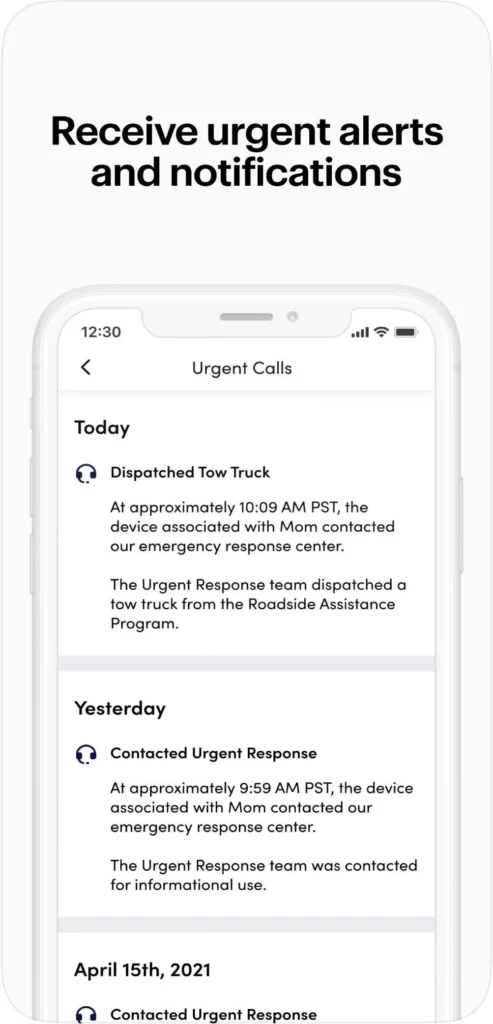
The Lively Link app requires an active Health & Safety subscription, and the base plan starts at $19.99 for unlocked phones with a SIM or eSIM (otherwise $24.99). This includes Urgent Response and the Lively Link app.
You can also upgrade to the premium tier for $34.99 monthly. This tier includes the Nurse On Call, providing unlimited access to registered nurses or board-certified doctors.
Fall detection is also an optional add-on for $9.99 when paired with a wearable device.
Great for tech-savvy seniors
Lively
- Nurse on-call
- Compatible with Alexa and Apple Watch
The Lively Link app pairs with Lively devices and enhances safety by enabling caregivers to track location, monitor battery status, and receive alerts in real time. Fall detection is optional, and when enabled, both Urgent Response and caregivers receive notifications, combining instant emergency response with location sharing for added peace of mind.
To learn more, read our full Lively review.
Medical Care Alert Review
Great fast response
|
From Medical Care Alert is the RemoteCare 24/7 app, available on iOS and Android. It is free to download and use, but you must have a Medical Care Alert monitoring plan. These plans start at $29.95 a month and include a 14-day free trial.
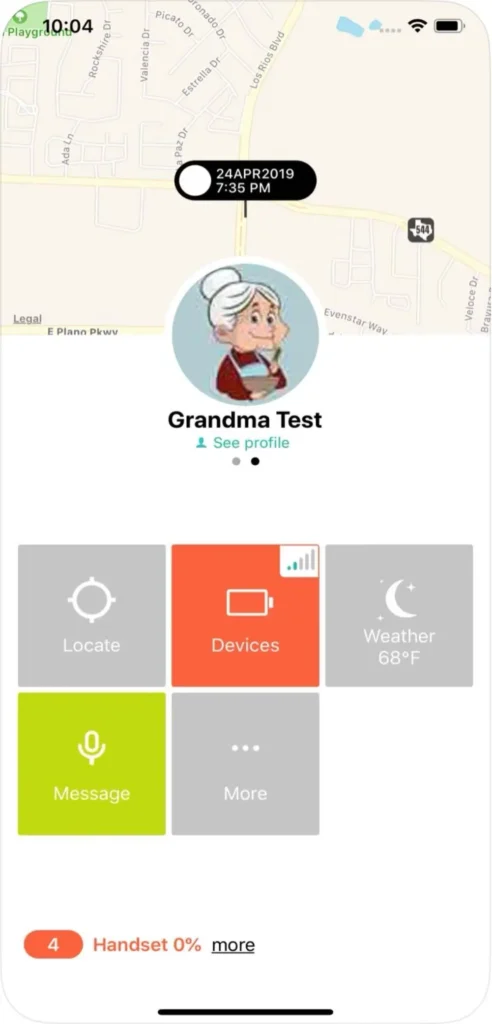
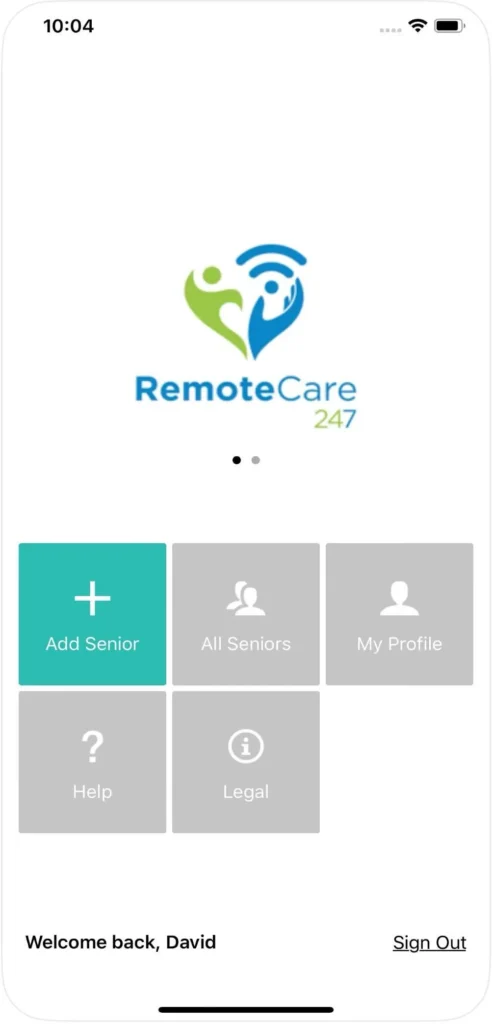
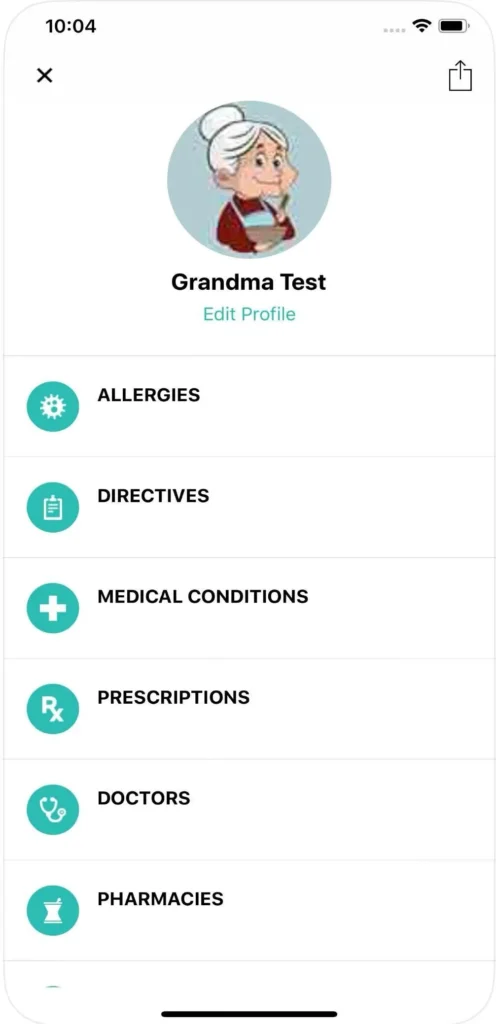
Caregivers can log in to monitor and receive information, including real-time battery level, cellular signal, device location, weather alerts, and notifications when the user leaves or returns home. The app’s intuitive dashboard allows seamless management of multiple users under a single account, making it easy to keep track of loved ones.
The app is designed to work with GPS-equipped devices like the Home & Away Ultra or Duo pendants and smartwatches. With these devices activated, caregivers can tap “Locate” to fetch the current GPS location and view the past seven-day location history.
They can also use the “Ring” feature to trigger the pendant audibly (helpful if misplaced) and update vital information, like medical conditions or emergency contacts, directly in the app.
When the user presses the help button or a fall-detection alert is triggered, caregivers are instantly informed with location details—complementing the emergency response team’s dispatch.
Great fast response
Medical Care Alert
- Certified responders
- No equipment charges
The app amplifies the service’s value by enhancing real-time communication and providing assurance without incurring additional software costs.
To learn more, read our full Medical Care Alert review. Or, for a comparison with another medical alert system, read our Medical Care Alert vs. Personal Living Alert article.

Bay Alarm Medical Review
Great customer service
|
My Account Manager is the app available from Bay Alarm Medical. It is completely free to download and use—there is no additional monthly fee beyond the device monitoring plan, which starts at $24.95 per month. It’s available for both iOS and Android users. Advanced features, like fall detection, cost more.
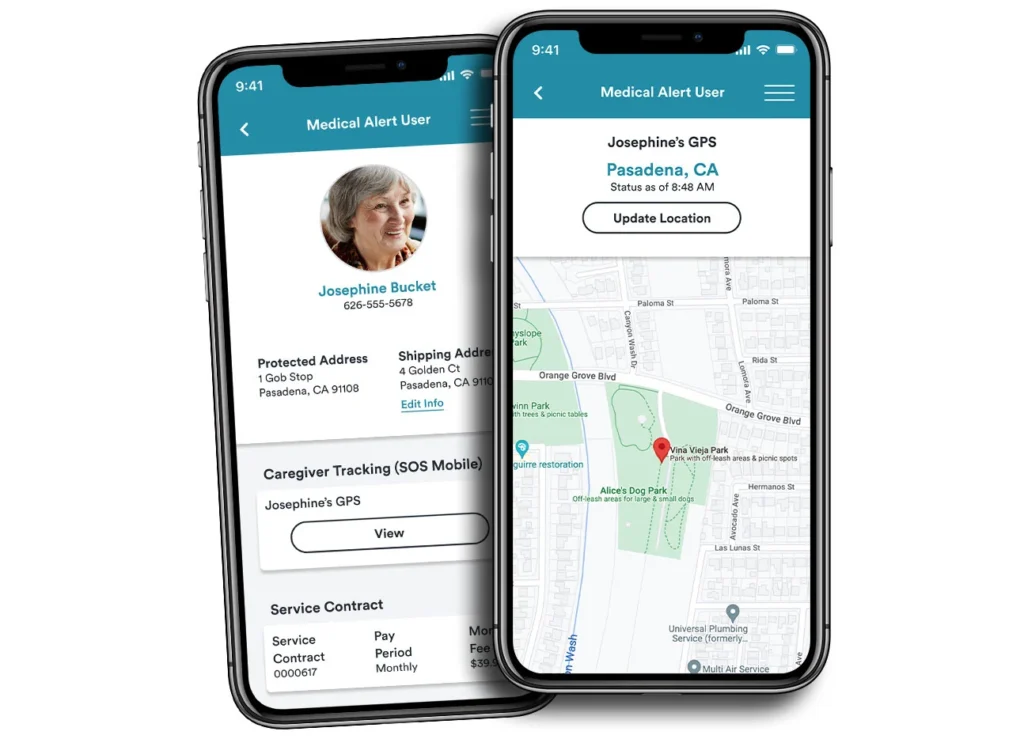
The My Account Manager app allows caregivers to access a user-friendly dashboard to monitor vital details about their loved one’s SOS mobile devices, including GPS location, battery level, cellular signal strength, and a seven-day location history.
It also offers access to billing and account status information, including payment options and purchase history, as well as an easy way to update emergency contacts and home-entry instructions directly from the app.
It is designed to enhance Bay Alarm Medical’s devices with service functionality in several ways. Caregivers can “ping” the connected device to ring it—particularly useful if it’s misplaced—and refresh its current GPS location.
Great customer service
Bay Alarm Medical
- Vial of Life included with purchase
- Free spouse monitoring
Alerts for low battery or connectivity issues help ensure the device remains live while on the go. In case of emergency or fall detection activation, the app instantly notifies caregivers alongside the company’s emergency call center, delivering a unified safety system allowing seniors to feel safe aging in place at home.
To learn more, read our full Bay Alarm Medical review.
Best Standalone Medical Alert Apps for Seniors
The best standalone medical apps include FallCall Lite and My SOS Family Emergency Alerts. These apps do not require any equipment rentals or plans, and instead use the user’s own devices, like a smartphone, watch, or speaker.

FallCall Lite
FallCall Lite is a free mobile app for iOS and Android users. It’s designed as a streamlined personal emergency assistant for older adults and their caregivers. In the free version, when you send an alert via the app, compatible through smartphone and smartwatch, the app notifies your designated care group using real-time GPS location and heart-rate data.
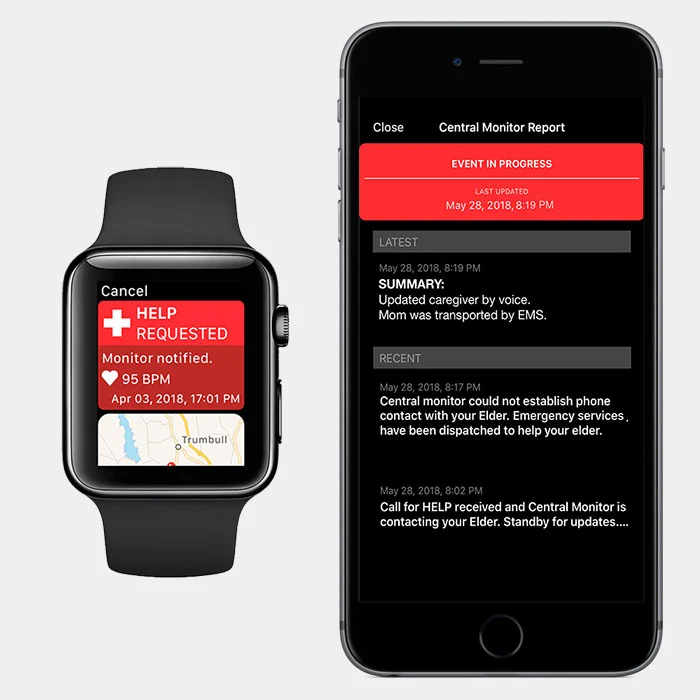
The FallCall Lite app provides information regarding device battery level and watch stats, ensuring caregivers stay informed during emergencies. Additionally, voice activation is also an option in emergency situations, eliminating the need to push a button.
An emergency monitoring plan is considered an upgrade from the free plan. The 24/7 monitoring plan is $14.99 per month and includes dispatch center support.
Alternatively, users can choose a pendant-based plan for $9.99 a month. This comes with Care Group–only alerts, or $19.99 per month for both Care Group and 24/7 monitored alerts.
FallCall Lite enables users to connect up to five caregivers and allows caregivers to support up to two elders, facilitating close-knit monitoring and support through in-app alerts. The app also integrates with optional Bluetooth pendant accessories, like Trelawear or FallCall/Talius pendants, enhancing alert capabilities. If you want fall detection, you must use one of the pendant accessories.
My SOS Family Emergency Alerts
The My SOS Family Emergency Alerts app is available for iOS and Android. It provides a simple, reliable way for seniors to notify their trusted circle directly in an emergency. With a single tap of the large SOS button or using voice activation through Siri, Google Assistant, or Alexa, the app sends simultaneous calls, texts, emails, and in‑app notifications.
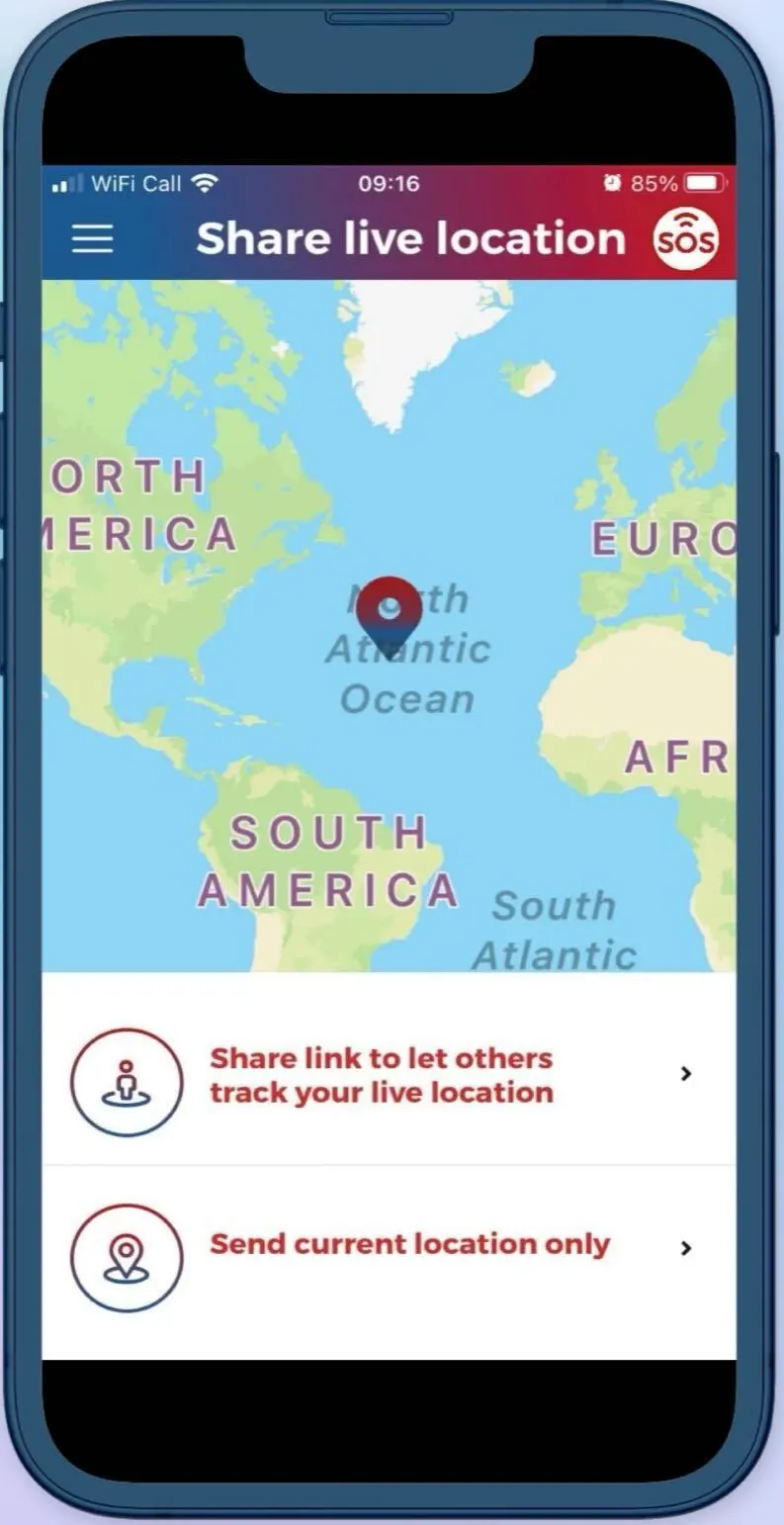
The My SOS Family Emergency Alerts app does not rely on call centers: only the user needs the app, and contacts receive alerts on any phone, including landlines—even without data or Wi‑Fi.
You can link up to five contacts through the app, and those contacts can receive alerts, location information, and multimedia attachments (photos, videos, voice notes) when the SOS button is activated. The app supports automatic SOS timers for risky situations, with alerts sent if the timer isn’t canceled. It also coordinates responses by assigning the first available contact to act and notifying the others to stand down, ensuring a seamless and organized emergency response.
The app has a 14-day free trial of full features. After the trial, the price is $3.49, monthly (cancel anytime). Paying annually saves you some money and is $19.99 for the year.
Medical Alert Apps Buying Guide
With features like one-touch emergency alerts and location tracking, the best medical alert apps like Medical Guardian and FallCall Life provide peace of mind without the need for extra equipment (although some offer optional equipment).
They operate using a device you already own, such as a smartwatch, smartphone, or even a smart speaker, providing a simple and affordable way to age in place safely.
Supplemental Medical Alert Apps vs. Standalone Apps
Medical alert apps come in two main types, each offering a different level of support depending on a senior’s needs and lifestyle. Understanding the difference between supplemental and standalone apps can help seniors and caregivers choose the right solution for staying safe and connected.
Supplemental medical alert apps are designed to work alongside a separate medical alert system or wearable device. They typically enhance the equipment and service by offering features, like location tracking, caregiver communication, or emergency alerts. They are often included with the plan as a monthly subscription service.
Standalone medical alert apps, on the other hand, function independently and do not require any additional equipment. These apps turn a smartphone, smartwatch, or, in some cases, smart speaker into a personal safety device, offering features such as SOS alerts, fall detection, and GPS tracking without the need for a separate monitoring system. These apps notify your pre-selected emergency contacts when you have an emergency instead of connecting you to emergency services.
Popular Medical Alert App Features
When evaluating medical alert apps, it’s important to look for features that enhance safety, ease of use, and communication—without the need for specialized equipment. These features provide peace of mind for both users and their caregivers.
A well-designed app should include:
- Caregiver portal: Allows family members or caregivers to monitor activity, receive alerts, and manage settings remotely.
- GPS location tracking: Essential for real-time updates on your whereabouts, especially during emergencies.
- Compatibility: Such as with a smartwatch that adds convenience and discretion, enabling users to access help directly from their wrist.
- Medical alert button: Provides quick and easy access to emergency support with a single tap.
In addition to these essentials, some medical alert apps offer optional features for an added cost. The most common are:
- Automatic fall detection: This is possible when paired with compatible devices or smartwatches, triggering an alert even if the user is unable to press a button.
- Medication reminders: Help users stay on track with their prescriptions, supporting overall health and independence.
Pros and Cons of a Medical Alert App for Seniors
Medical alert apps offer an affordable safety solution compared to full medical alert systems. The simple apps turn smartphones, smartwatches, and even smart speakers into powerful safety tools. Designed to support aging in place, medical alert apps provide prompt access to help, real-time updates for caregivers, and features, like GPS tracking and fall detection, without requiring expensive hardware. That said, like any technology, they come with both pros and cons. Below is a breakdown to help you evaluate whether a medical alert app is the right fit for you.
Pros
- Affordable: Many apps are free or low-cost compared to traditional medical alert systems.
- Convenient: Use existing devices like smartphones or smartwatches—no need for extra hardware.
- Real-time GPS tracking: Allows caregivers to monitor your location during emergencies.
- Caregiver connectivity: Most apps include portals or alert features that notify multiple caregivers simultaneously.
- Customizable alerts: You can send help requests by tapping a button, using voice commands, or setting up timers.
- Added features: Some apps offer fall detection, medication reminders, and integration with smart speakers or home locks.
Cons
- Requires a smart device: Not ideal if you don’t already use or feel comfortable with smart devices.
- Dependent on a signal: Functionality may be limited in areas with poor cell service or no Wi-Fi.
- Battery life limitations: Devices must be charged regularly, or alerts won’t work.
- Limited emergency response: Some apps only notify caregivers and do not connect to professional monitoring centers.
- Inconsistent fall detection: Fall detection (if available) may require specific accessories and isn’t always accurate.
Medical Alert App Costs
Deciphering pricing was one of the hardest parts of researching the best medical alert apps. The reason? If the app is supplemental to equipment, it’s not a standalone app; therefore, only app pricing is not available.
A prime example is the Medical Guardian app, MyGuardian. It’s called a “free app” because it’s included with the equipment plan and includes location and activity tracking. You pay an additional cost of $2.99 a month for a notification plan for emergency or fall notifications, followed by additional charges for more advanced features like reminders and scheduling.
Lively, Medical Care Alert, and Bay Alarm Medical also include the app in their basic equipment plans and charge more for upgrades.
When it comes to standalone apps, pricing is much more straightforward with a monthly subscription cost that is cheaper if you opt for a six-month (FallCall Lite) or annual (My SOS Family Emergency Alert) plan. My SOS Family Emergency Alert is unique in that it doesn’t offer upgrades. It’s one flat fee for one plan option.
| Brand | App Included with Equipment | Standalone? | Free Tier or Trial | Monthly | Annually | Add-ons |
|---|---|---|---|---|---|---|
| Medical Guardian | Yes | No | No | Starting at $27.95 | Not specified | Reminders, chat, and scheduling |
| Lively | Yes | No | No | Starting at $19.99 | Not specified | Ask Lively, Nurse on Call, Care Advocate Services, fall detection (with wearable device) |
| Medical Care Alert | Yes | No | 14-day free trial with equipment trial | Starting at $29.95 | Not specified | Location tracking and fall detection |
| Bay Alarm Medical | Yes | No | No | Starting at $24.95 | Not specified | Fall detection and GPS location tracking |
| FallCall Lite | N/A | Yes | No | Starting at $14.99 | Discount with 6-month subscription through the app store | Care group alerts and fall detection |
| My SOS Family Emergency Alert | N/A | Yes | 14-day free trial | Starting at $3.49 | $19.99 annually | None |
Methodology
In our search for the best medical alert app, we reviewed 33 popular medical alert apps currently available on the market. By reviewing availability and desired features, we cut our list in half.
From there, we took a deep dive and identified the six best medical alert apps: four that can be connected to medical alert systems, and two that are standalone. Our research included a deep dive into:
- Safety features
- Expert and user reviews
- Availability
- Price
Medical Guardian, Lively, Medical Care Alert, Bay Alarm Medical, FallCall Lite, and My SOS Family Emergency Alert all stood out and met our stringent criteria.
Medical Alert App FAQs
Pricing for a medical alert app that is standalone and does not require purchasing equipment costs between $3.50 and $15 per month. If you purchase medical alert system equipment, the app will be included in the monthly equipment plan price. Advanced features are available at additional costs on both standalone and equipment-priced plans.
Because medical alert apps are not considered medically necessary, they are not covered by Medicare or most insurance plans.
A medical alert app transforms your phone or smartwatch into a personal SOS device. By pressing the in-app help button (or if triggered by automatic fall detection), the app instantly sends your call for help to either your designated caregivers or a 24/7 emergency monitoring center.
If GPS location is included in your medical alert app plan, that will be shared with your caregivers or the monitoring center, as well as any vital health information. They can then speak with you, see where you are, and dispatch emergency services if needed.
Concluding Thoughts
Medical alert apps offer safety and peace of mind for older adults aging in place by helping them safely stay independent longer. These apps provide quick access to emergency help anytime with the push of a button.
Some work as a supplement to medical alert devices to enhance the service, while others work through cell phones, smartwatches, and smart speakers, turning them into real-time communication hubs for caregivers and responders.
Choose from our top-rated apps to ensure you’re getting one of the best options available today.