
Retirement Living takes an unbiased approach to our reviews. We may earn money when you click a partner link. Learn More
How to Set Up a Medical Alert System
Learn how to install, activate, and test your medical alert system for fast emergency response and peace of mind.


Updated:
At a glance:
- You can set up most medical alert systems in 15 to 20 minutes by placing the base unit, completing activation, and testing the help button.
- In-home systems use a landline or cellular connection, while mobile systems rely on built-in cellular service and location tracking for protection outside the home.
- Monthly testing, updated emergency contacts, and proper device charging help prevent false alarms and keep your system ready during an emergency.
You can set up a medical alert system by plugging in the base unit, activating the service, and testing the help button. Most systems take 15 to 20 minutes to install, and you do not need professional installation.
This guide explains how to set up an in-home system and a mobile system, including activation, fall detection, and testing your emergency call.
What You Need Before Installing a Medical Alert System
Here are some things you need before installing a medical alert system, depending on the type of medical alert system you have:
- Access to a power outlet: Place the base unit near a working wall outlet. The system needs constant power to contact the monitoring center.
- Phone jack and phone cord: If you chose a landline system, locate a working phone jack. Plug the phone cord into the phone jack and then into the base unit. Confirm you have a dial tone before you start activation.
- Strong cellular signal: If you chose a cellular system, check for a strong signal in your home. You do not need the internet. The system uses a built-in cellular connection instead of a landline.
- Account activation instructions: Keep your account activation instructions nearby. You will call a phone number provided by your provider to complete activation.
- Emergency contact information: Write down contact information for your emergency contacts. The monitoring center will call these contacts during an emergency response.
- Lockbox: Install a lockbox near your front door if you want responders to enter your home without forcing entry.
How to Set Up a Medical Alert System (In-Home and Mobile)
An in-home medical alert system uses a base unit that stays inside the house. It connects to a monitoring center through a landline or cellular signal. With this system, your loved one wears a help button to place an emergency call.
A mobile medical alert system works inside and outside the home. It uses a built-in cellular connection and location tracking. Your loved one carries or wears the medical alert device wherever they go.
Here are step-by-step instructions for setting up both an in-home system and a mobile medical alert system.
Step 1: Place the Base Unit in the Right Location
Place the base unit in a central area of the home, such as the living room or near the bedroom where your loved one spends most of their time.
Set it on a stable surface near a power outlet and keep it out in the open so your loved one can hear and speak clearly during an emergency call. Do not place the unit inside cabinets or behind large furniture, since barriers can interfere with two-way communication.
After you plug it in, check the status light to confirm the base unit has power and connects to the monitoring center. Keep the unit away from sinks or showers unless the equipment is labeled water-resistant.
Step 2: Connect Power and Phone (If Required)
If you have a landline home medical alert system, plug the phone cord into a working phone jack and connect the other end to the base unit. Then plug the base unit into a power outlet and confirm you hear a dial tone. The system uses this phone line to contact the monitoring center during an emergency call.
If you have a cellular in-home system, skip the phone jack. Plug the base unit into a power outlet and wait for the status light to confirm a cellular signal. The system will connect to the response center through its built-in cellular network.
Step 3: Activate the Medical Alert System
Once you connect the base unit and power it on, call the activation phone number provided by your provider. A representative at the monitoring center will complete the setup with you.
During the call, confirm the following:
- Your full contact information and home address
- Emergency contacts, including family members and caregivers
- Fall detection or automatic fall detection settings, if included with your medical alert device
- The emergency response process and how the response center contacts emergency services
- How two-way communication works during an emergency call.
Step 4: Test the Help Button
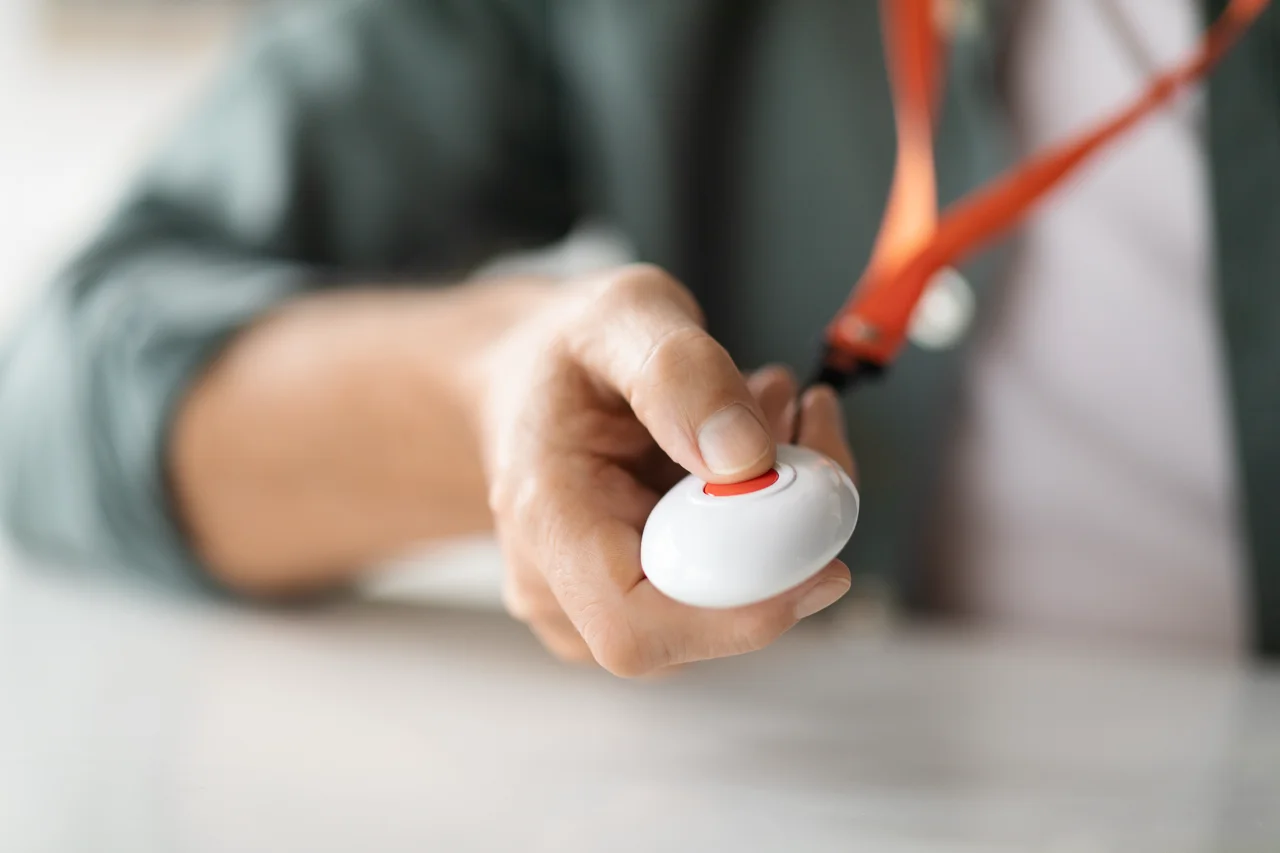
After activation, press the help button on the wearable device to place a test emergency call to the monitoring center and wait for a representative to answer.
Speak clearly through the base unit using two-way communication. Confirm that the response center hears your voice without interference and can communicate back clearly.
Step 5: Set Up a Mobile Medical Alert System for Outside Use
Charge the mobile medical alert device until the battery indicator shows full power. Turn the device on and check the status light to confirm a cellular connection.
Confirm that location tracking and fall detection are active if your plan includes these features. Then place a test emergency call while outside the home. Ask the response center to verify they receive your location and can dispatch emergency services if needed.
Troubleshooting Common Medical Alert System Problems
Here are some common medical alert system problems and how to resolve them:
The Medical Alert System Won’t Connect
If your medical alert system will not connect to the monitoring center, start by checking the phone jack. Make sure the phone cord connects securely to both the phone jack and the base unit.
Confirm that your landline has a dial tone. If you do not hear a dial tone, contact your phone service provider to restore the line.
If the connection still fails, restart the base unit. Unplug it from the power outlet, wait 30 seconds, and plug it back in. Then check the status light to confirm the system reconnects.
The Medical Alert Device Keeps Beeping
If the medical alert device keeps beeping, review the common causes below and take the appropriate action:
- Low battery: Place the wearable device on its charger until the battery indicator shows a full charge. Many devices beep to warn you before the battery runs out.
- Weak signal: Move closer to the base unit if you use an in-home system. For a mobile system, go to an area with stronger cellular coverage.
- Status light alerts: Check the status light on the base unit or wearable device. Refer to your provider’s guide to match the light color or pattern with the issue.
If the beeping continues after these steps, contact your provider’s monitoring center or customer support for further assistance.
The Monitoring Center Doesn’t Answer
If the monitoring center does not answer your emergency call, check whether you completed activation. An incomplete activation will prevent the system from connecting to your account.
Next, contact your provider and verify your account status. Billing issues or service interruptions can block access to the response center.
If the problem continues, ask customer service to run a system check while you remain on the line. Do not rely on the medical alert system until the representative confirms it connects to the monitoring center correctly.
How to Prevent False Alarms and Common Setup Mistakes
You can reduce false alarms and avoid common setup problems by following these consistent habits:
- Keep the base unit within range of the wearable device at all times.
- Charge a mobile medical alert device every night.
- Review emergency contacts with your provider whenever phone numbers or caregivers change.
- Test the help button once a month to confirm the system connects to the response center.
- Explain how the medical alert system works to caregivers and family members so they know what to expect during an alert.
- If possible, install a lockbox outside the home so responders can enter quickly during an emergency.
Medical Alert Systems That Are Easy to Set Up
Most medical alert providers design their systems for quick setup at home without professional installation. Here are some medical alert systems that are known for simple activation and clear setup instructions.
- Medical Guardian: Medical Guardian offers both landline and cellular in-home systems, along with mobile devices. Setup requires plugging in the base unit, completing activation, and testing the help button. Fall detection is available for an added monthly fee. Plans start at $27.95 per month, and the company does not require long-term contracts.
- Personal Living Alert: Personal Living Alert provides in-home and mobile systems that connect through landline or cellular service. You install the system by connecting the base unit and calling for activation. Fall detection is optional. Monthly plans start at $22.90, and you do not need a long-term contract.
- Bay Alarm Medical: Bay Alarm Medical provides in-home systems that use landline or cellular connections, as well as mobile devices. You complete setup by connecting the base unit and confirming activation with the monitoring center. Fall detection is optional. Plans start at $27.95 per month, with no long-term contract required.
- LifeFone: LifeFone offers landline and cellular home medical alert systems and mobile devices. Setup requires plugging in the base unit and confirming activation. Fall detection is available as an add-on. Plans start at $24.95 per month, and you can choose month-to-month service without a long-term contract.
You can compare these providers and others in our best medical alert systems guide.
Help us improve our guides! If you’ve recently bought a medical alert system or have insights on how yours works, we’d love to hear from you. Share your experience with us at [email protected]. Your personal details will stay completely confidential.